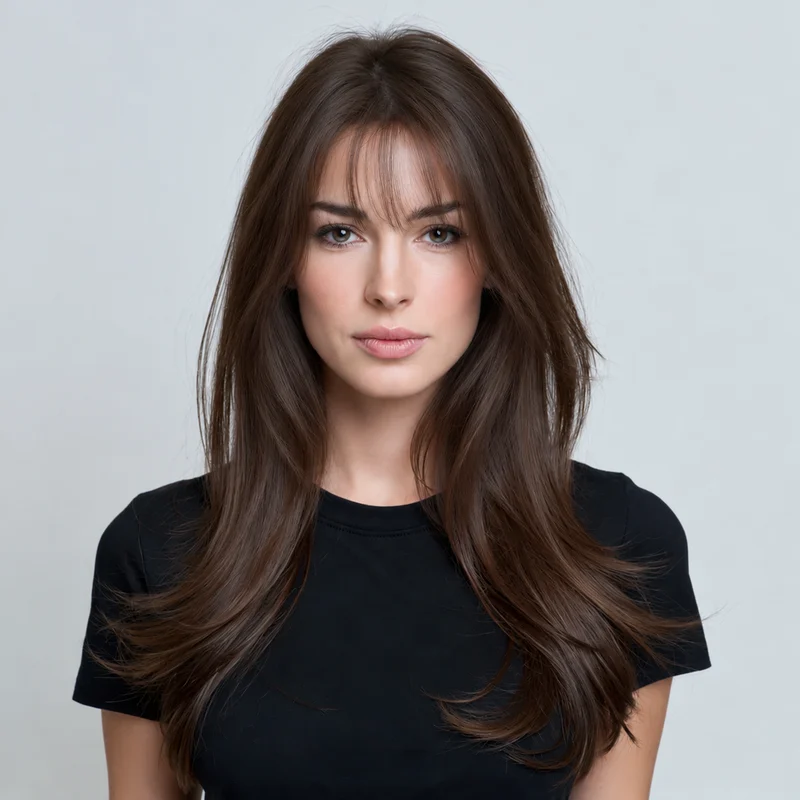
Wispy bangs leave more forehead visible between fine strands. Birkin bangs form a fuller, softly broken fringe around the brows. Blunt bangs create a stronger horizontal line. Side-swept bangs cross the forehead diagonally, while curtain bangs open around a central part. Start with the shape you want to compare, rather than assuming all fringes will look similar.
02
Compare bangs and no bangs on the same photo
Use a clear front-facing photo with your hairline and eyes visible. Keep that source photo when trying another fringe so changes in lighting or camera angle do not distract you. Each generated style is a separate preview and uses a credit. Compare your original and result carefully: AI can alter nearby hair and facial details as well as the fringe.
03
Take the shortlist to your stylist
A preview can help you choose how much forehead to cover and where the fringe should end. It cannot predict a cowlick, how the hair will sit after washing, or the amount of daily styling you will need. Ask your stylist about your growth pattern, available density and the shortest length you are comfortable maintaining.
Can I see what I would look like with bangs without cutting my hair?
Yes. Upload your photo, select a fringe, sign in and complete the eligibility checks to generate an AI preview. You can compare it with your original before deciding whether to book a haircut.
Are bangs and fringe the same thing?
They are regional names for hair cut to frame or cover the forehead: bangs is common in the US, and fringe in the UK. The specific cut still matters, from sparse wisps to a full blunt line.
Can I try more than one type of bangs?
Yes. The style choices on this page open the studio with a specific fringe selected. Generate one, then choose another using the same photo. Each completed preview uses one credit; eligible new users receive one free preview.
Will the filter tell me whether bangs suit my face?
It gives you a visual example to judge for yourself. It does not score attractiveness, diagnose a face shape or guarantee the result your stylist can achieve.