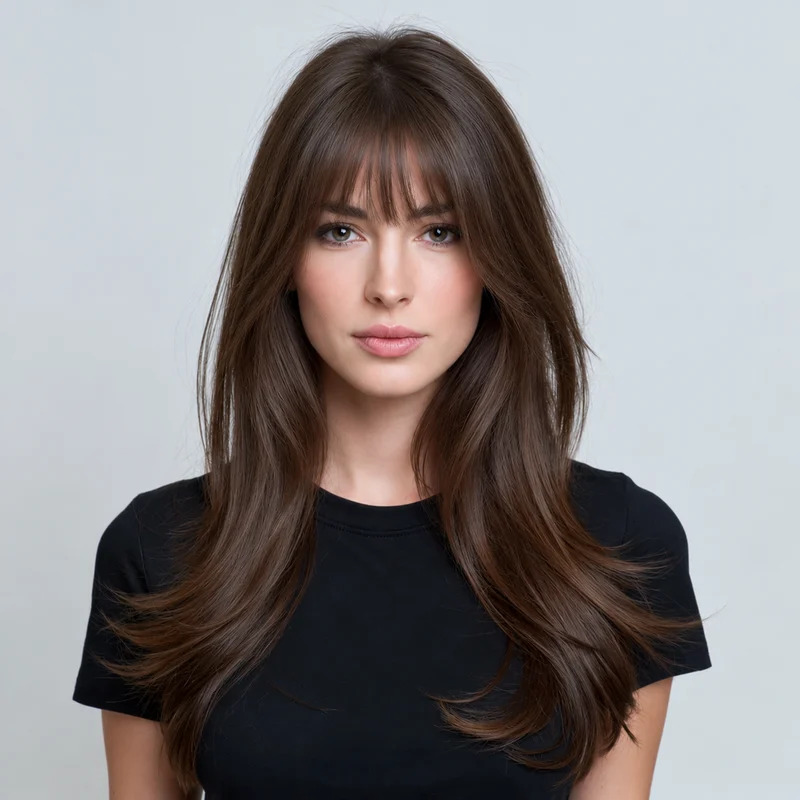
Our Birkin preset uses a moderately full fringe with small gaps between natural pieces, a softly irregular edge and slightly longer outer ends. It aims for an easy, lived-in shape rather than a perfectly solid horizontal block. When reviewing your preview, look at the centre length and how the outer pieces blend toward your cheekbones.
02
Birkin bangs versus wispy or curtain bangs
These names overlap in everyday use, but our presets make the distinction visual. Birkin bangs are fuller than our see-through wispy fringe. Curtain bangs have a more obvious central opening and sweep away to both sides. Compare how much forehead each option leaves visible instead of relying on the name alone.
03
Keep the rest of the haircut in mind
The fringe preset aims to preserve your overall length. The catalog image shows long hair, but your own result is based on your source photo. AI may change surrounding layers; if those changes are not what you want, use the preview to discuss only the fringe with your stylist. Confirm the practical length and fullness before cutting.
Yes. This preset focuses on adding the fringe while retaining the overall length shown in your photo. Check the result for unintended changes to nearby hair.
Are Birkin bangs the same as blunt bangs?
Our Birkin preset has a softer, piecey edge and small gaps. The blunt preset has a fuller, more continuous straight-across line. You can preview both to compare the difference.
Will Birkin bangs work with fine hair?
A preview can show the visual idea, but it cannot establish how much hair is available for a fringe. Ask your stylist about density and how taking hair forward would affect the rest of your cut.
Can I use my own fringe reference?
Yes. Switch to Upload inspiration and add a clear photo you own or have permission to use when you want a different length or shape.